How to Connect a Namecheap Domain to Vercel
Add your domain to a Vercel project, switch Namecheap to Vercel's nameservers (or add A and CNAME records), and get free HTTPS. Plus GoDaddy, Cloudflare and others.
By FrameCompile TeamPublished 4 min read
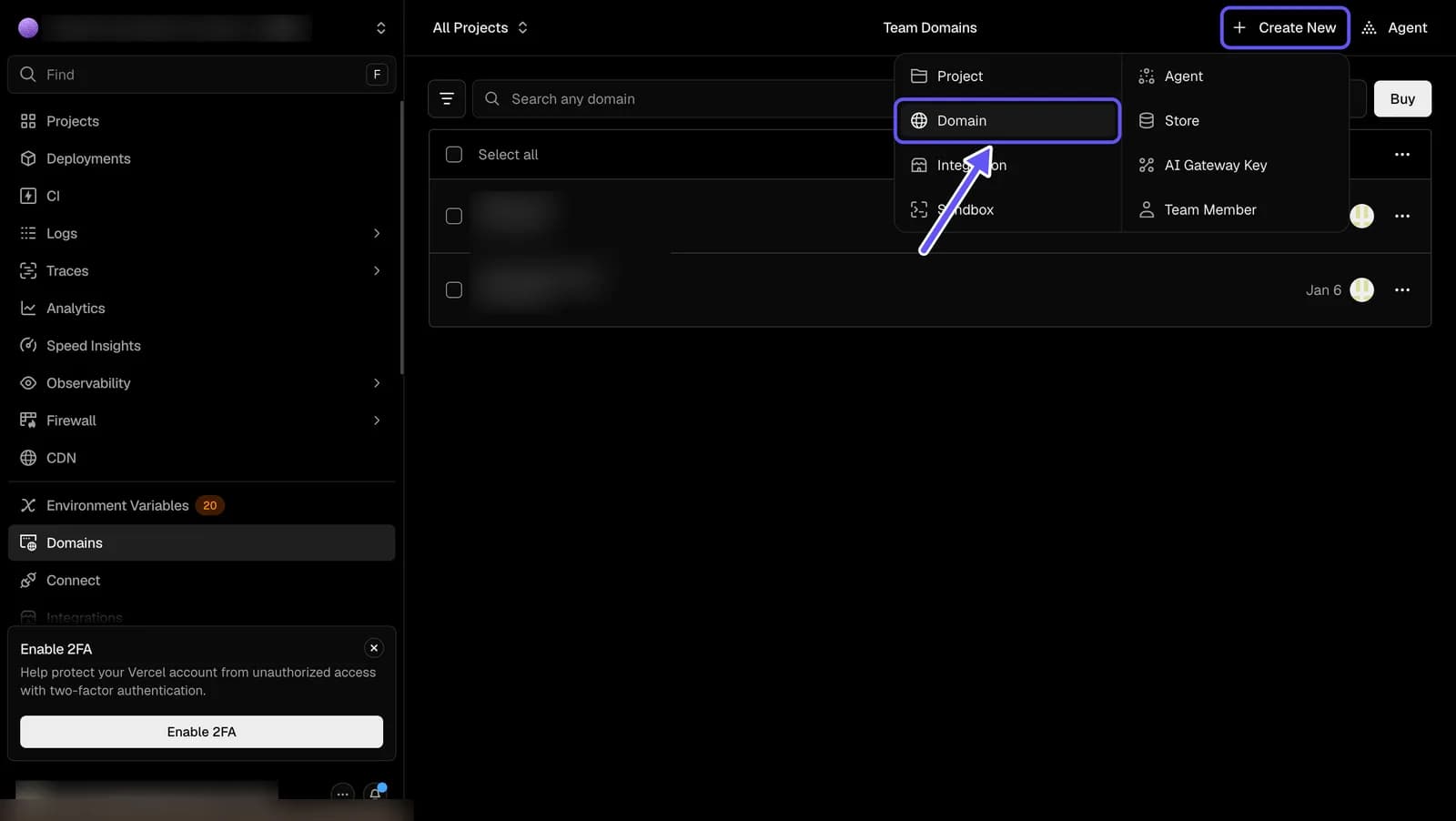
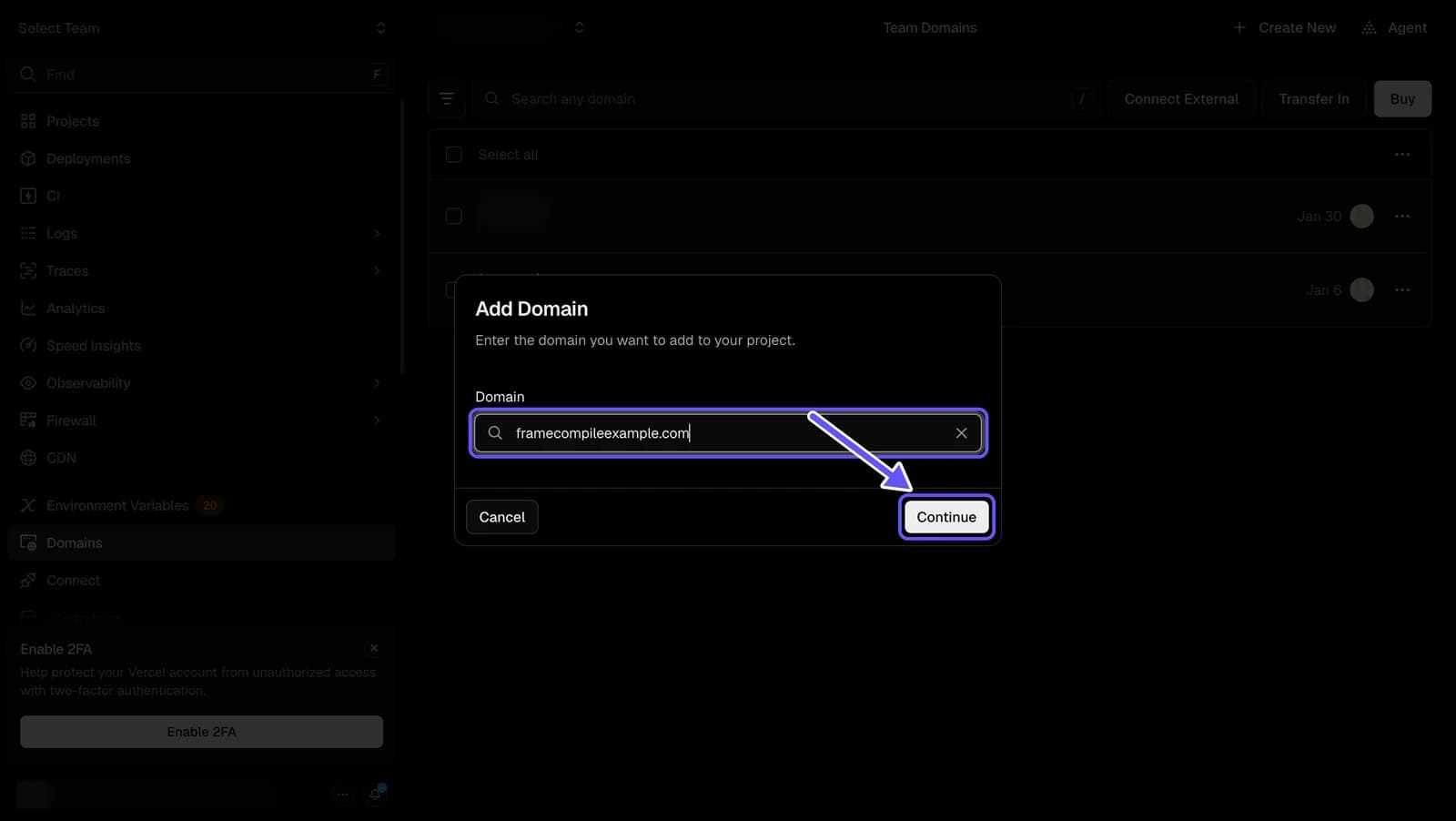
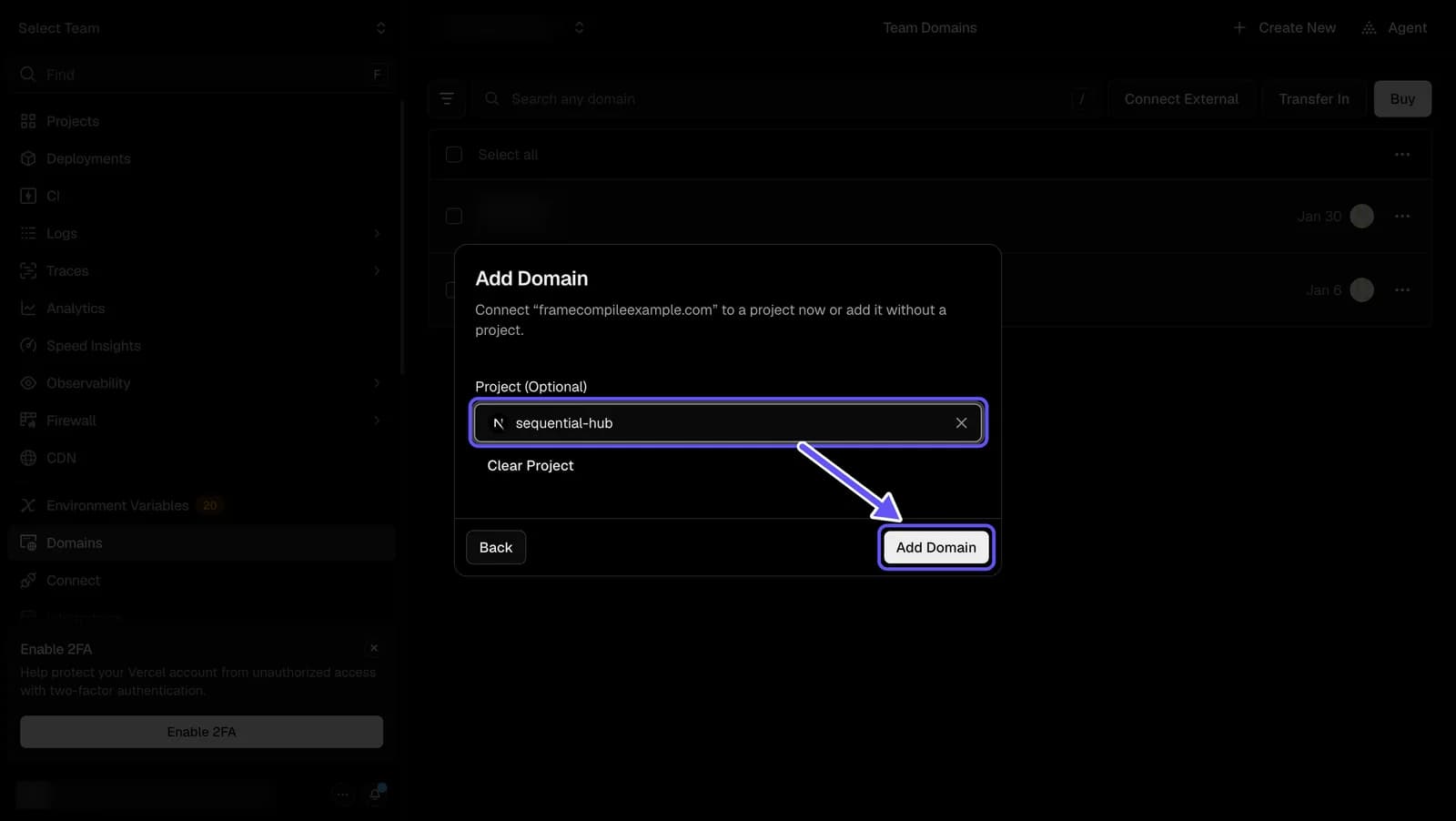
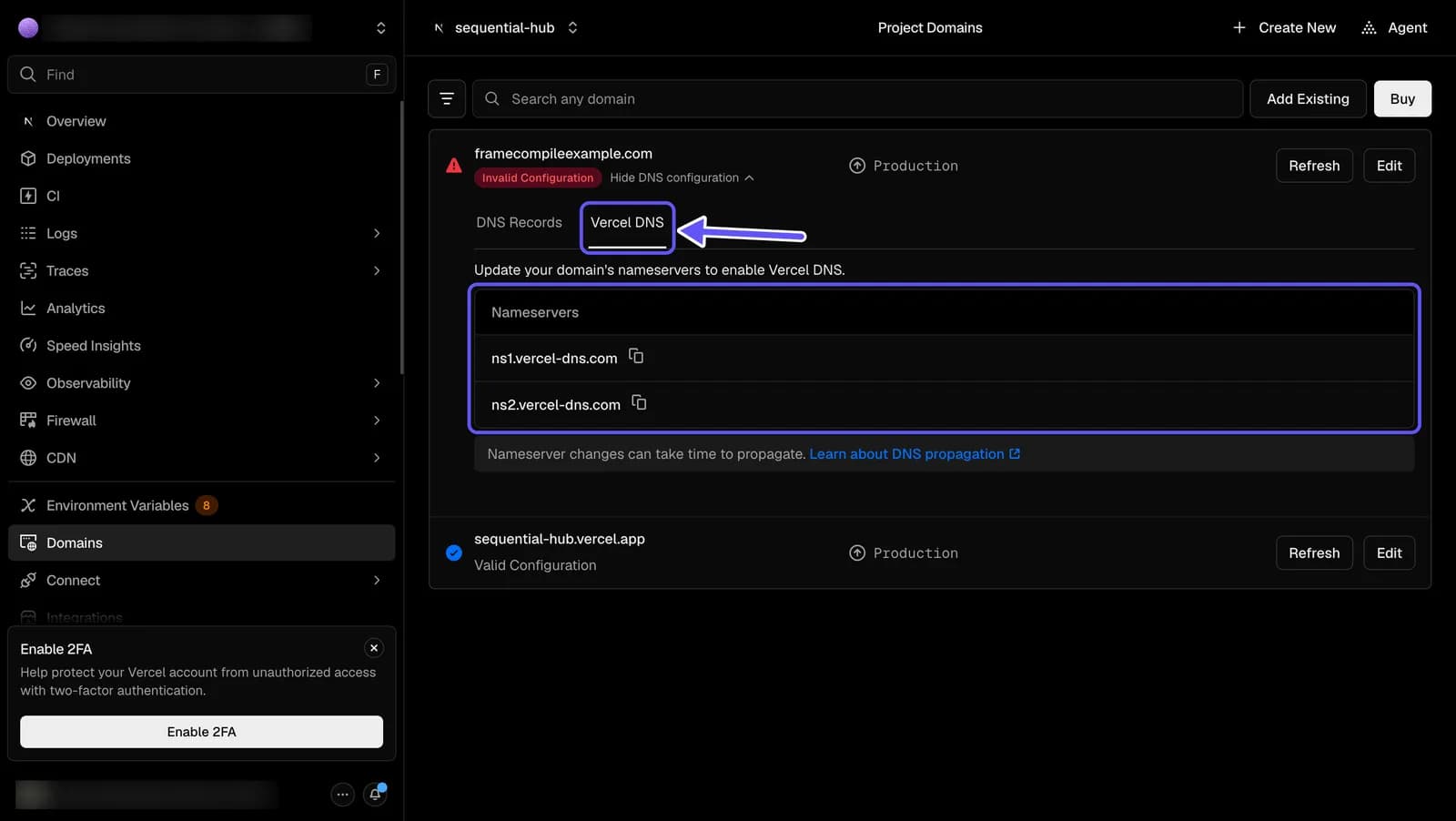
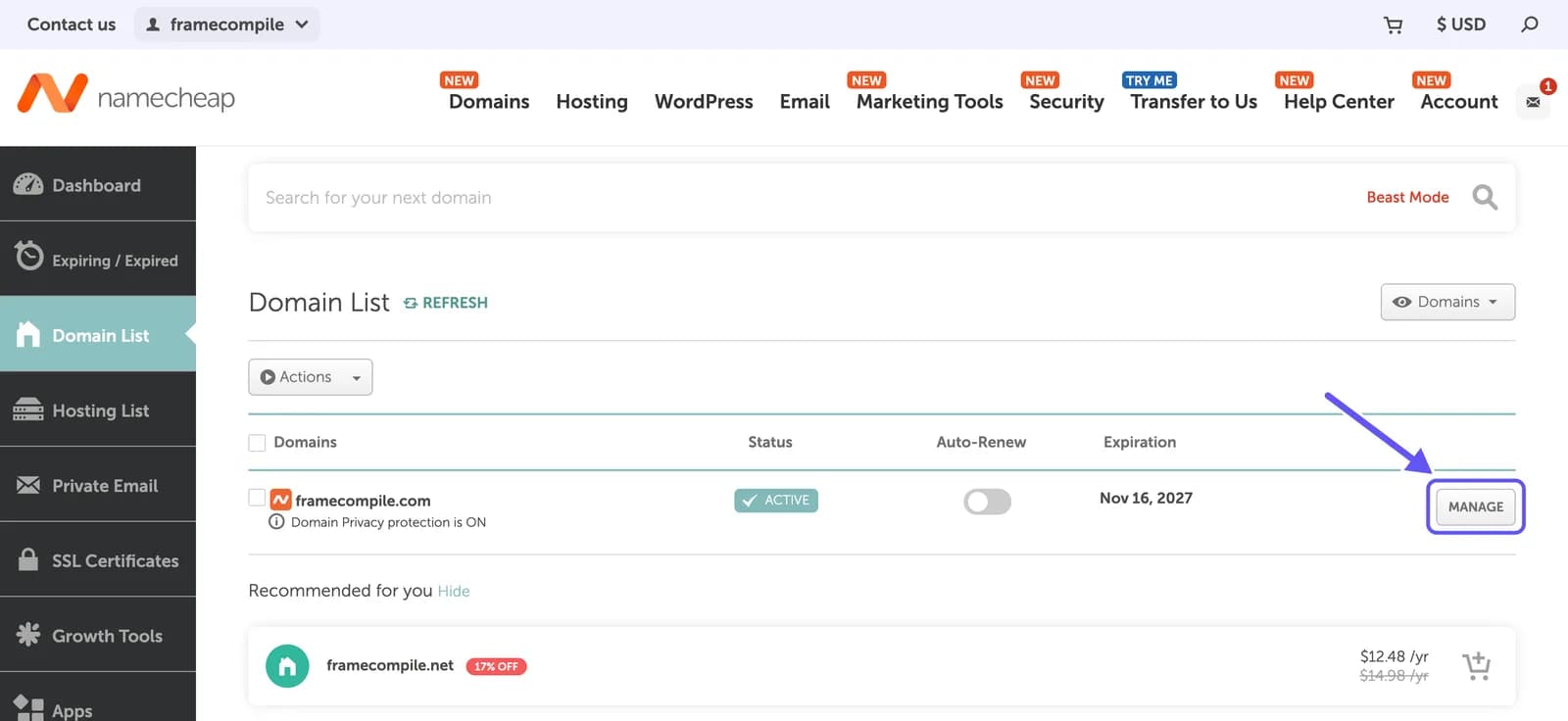
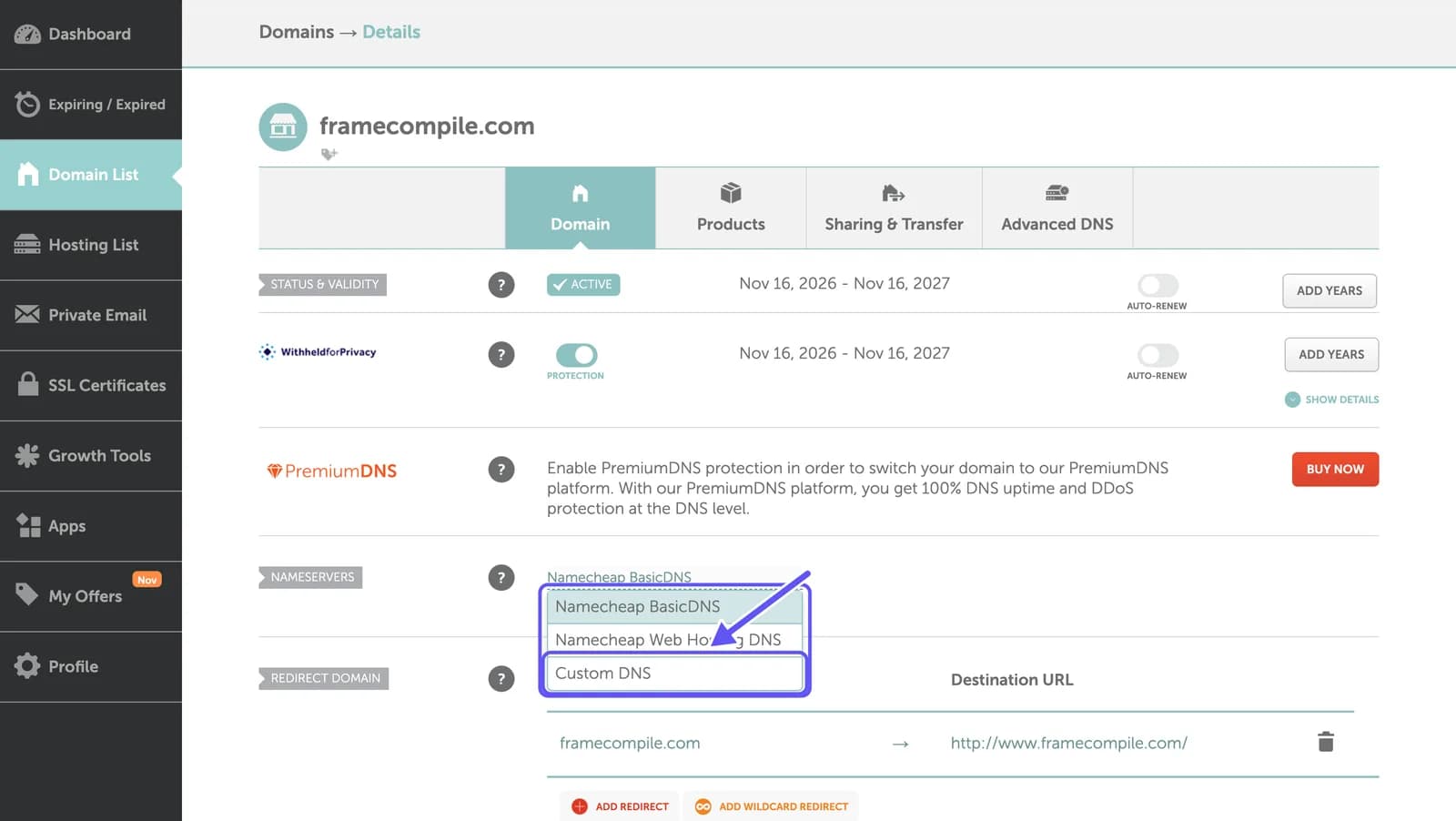
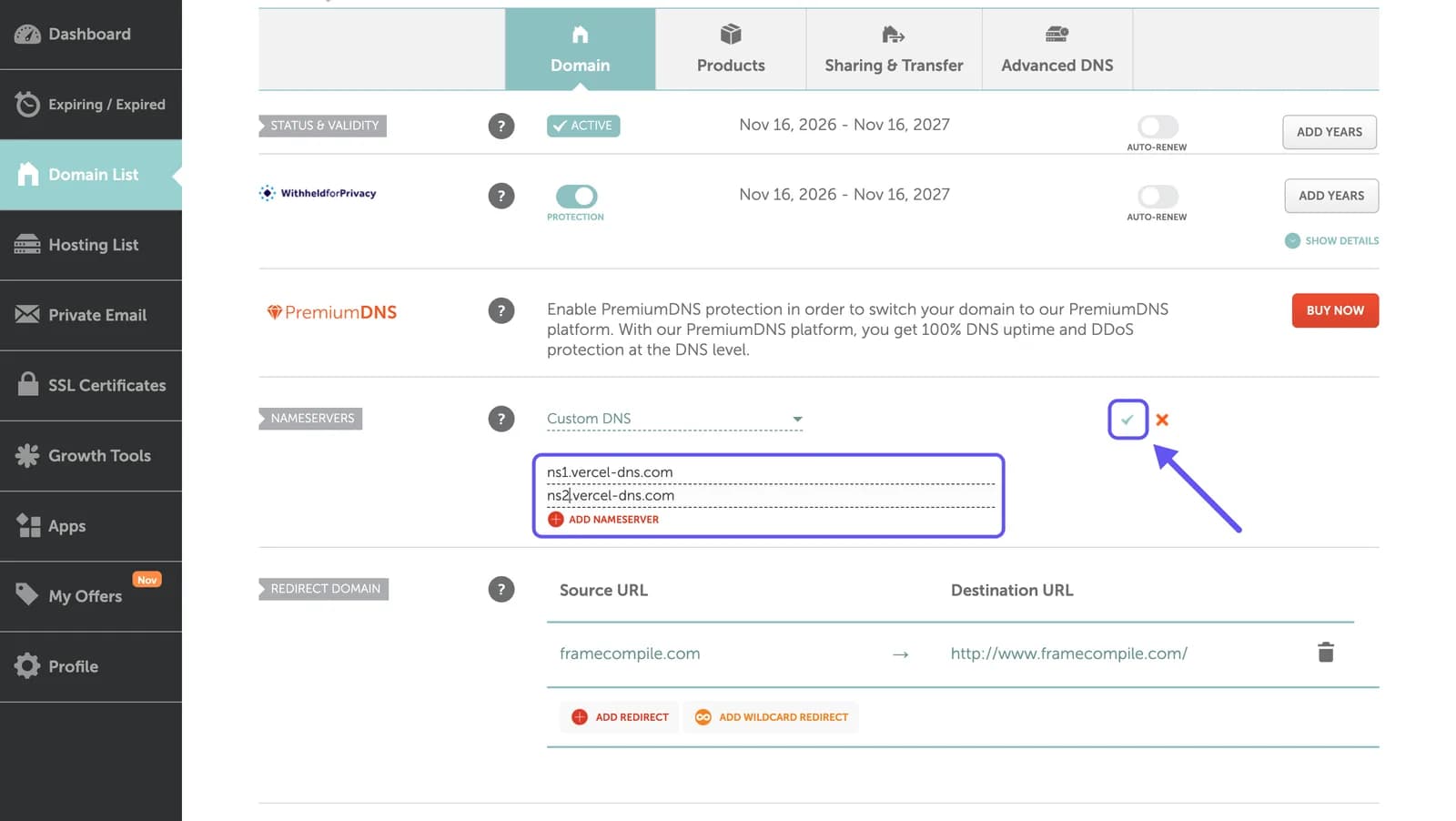
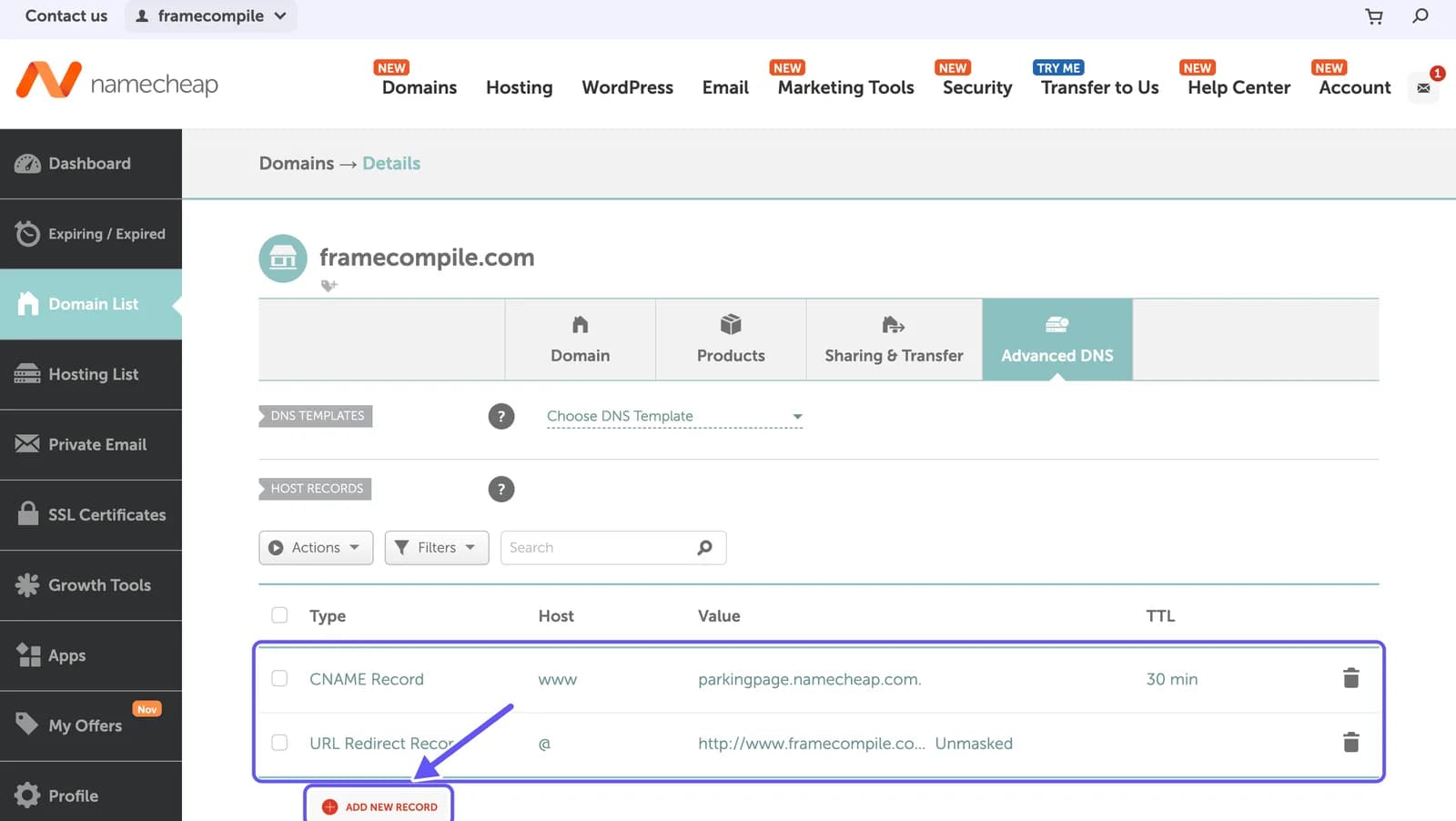
To connect a Namecheap domain to Vercel, add the domain to your project in Vercel (Domains → Create New → Domain), then open the domain's Vercel DNS tab and copy the two nameservers, ns1.vercel-dns.com and ns2.vercel-dns.com. In Namecheap, select Manage next to the domain, set Nameservers to Custom DNS, paste both and save with the green check mark. Once the change spreads, usually within an hour, Vercel shows Valid Configuration and issues a free HTTPS certificate.
Before you start
- A domain on Namecheap (see how to buy a domain on Namecheap).