How to Create a Vercel Access Token to Deploy Your Site
A step-by-step guide with screenshots: find Vercel's Tokens page, create a Full Account token, copy it safely, and use it to deploy your site from FrameCompile.
By FrameCompile TeamPublished 3 min read
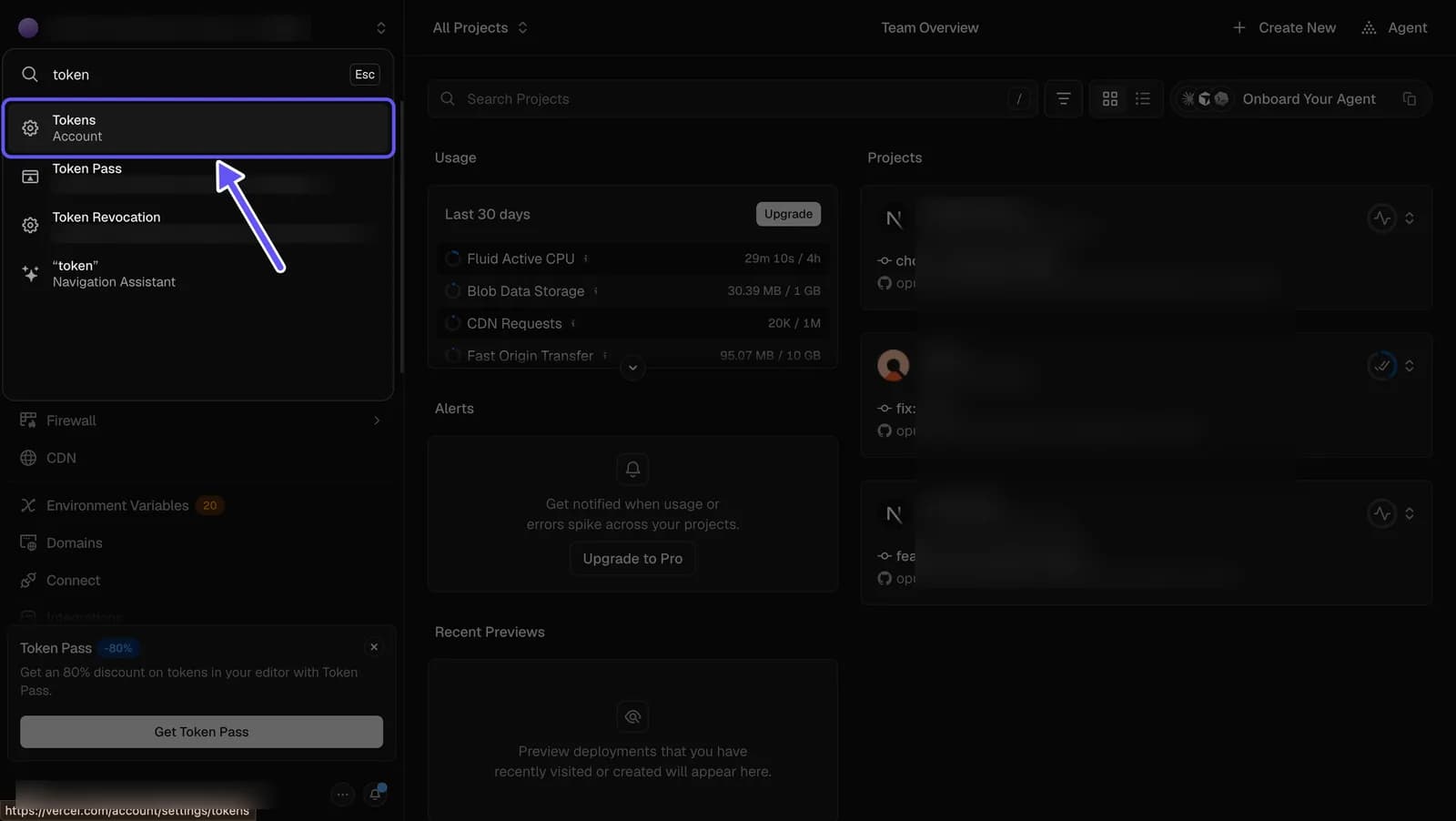
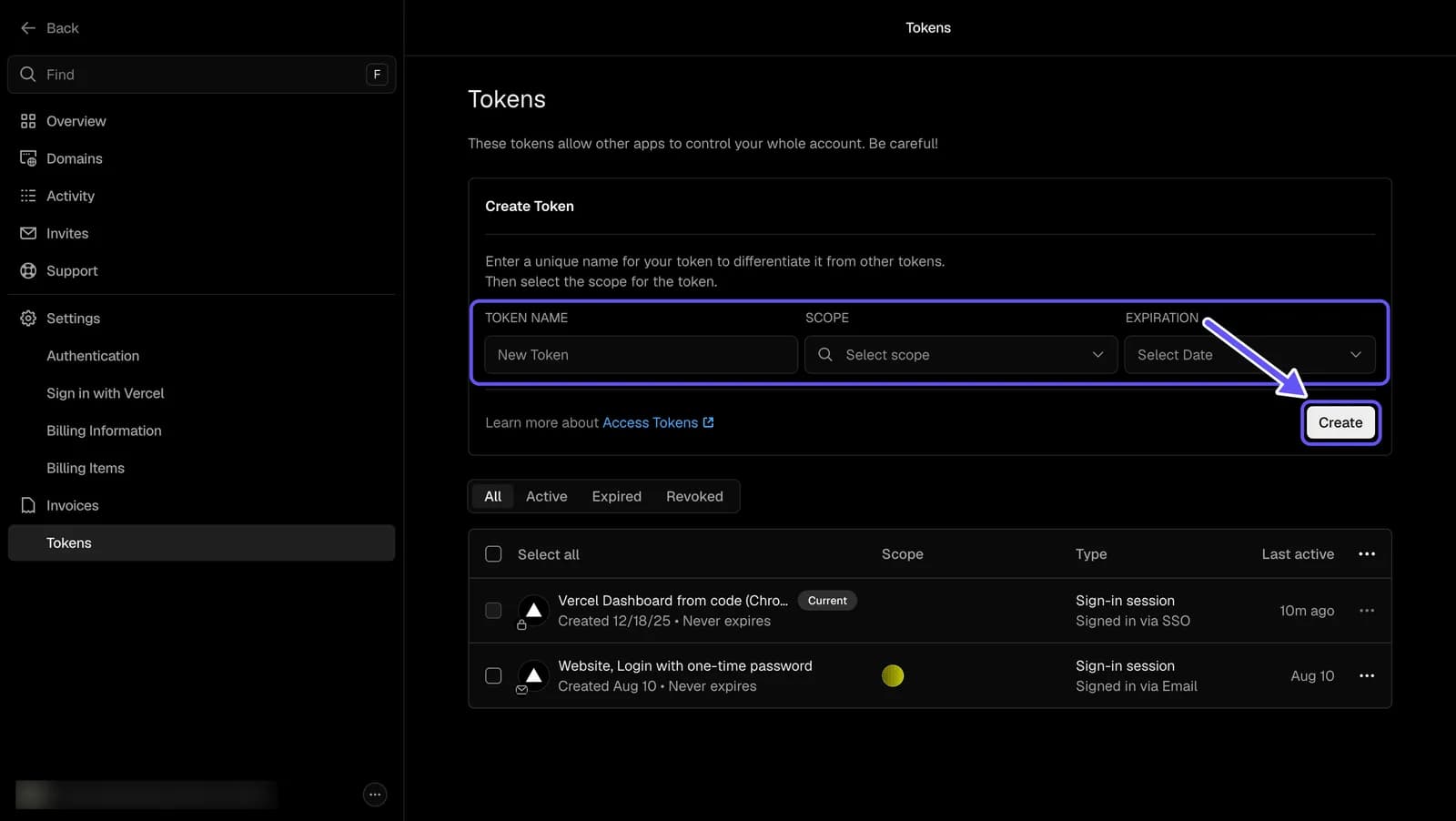
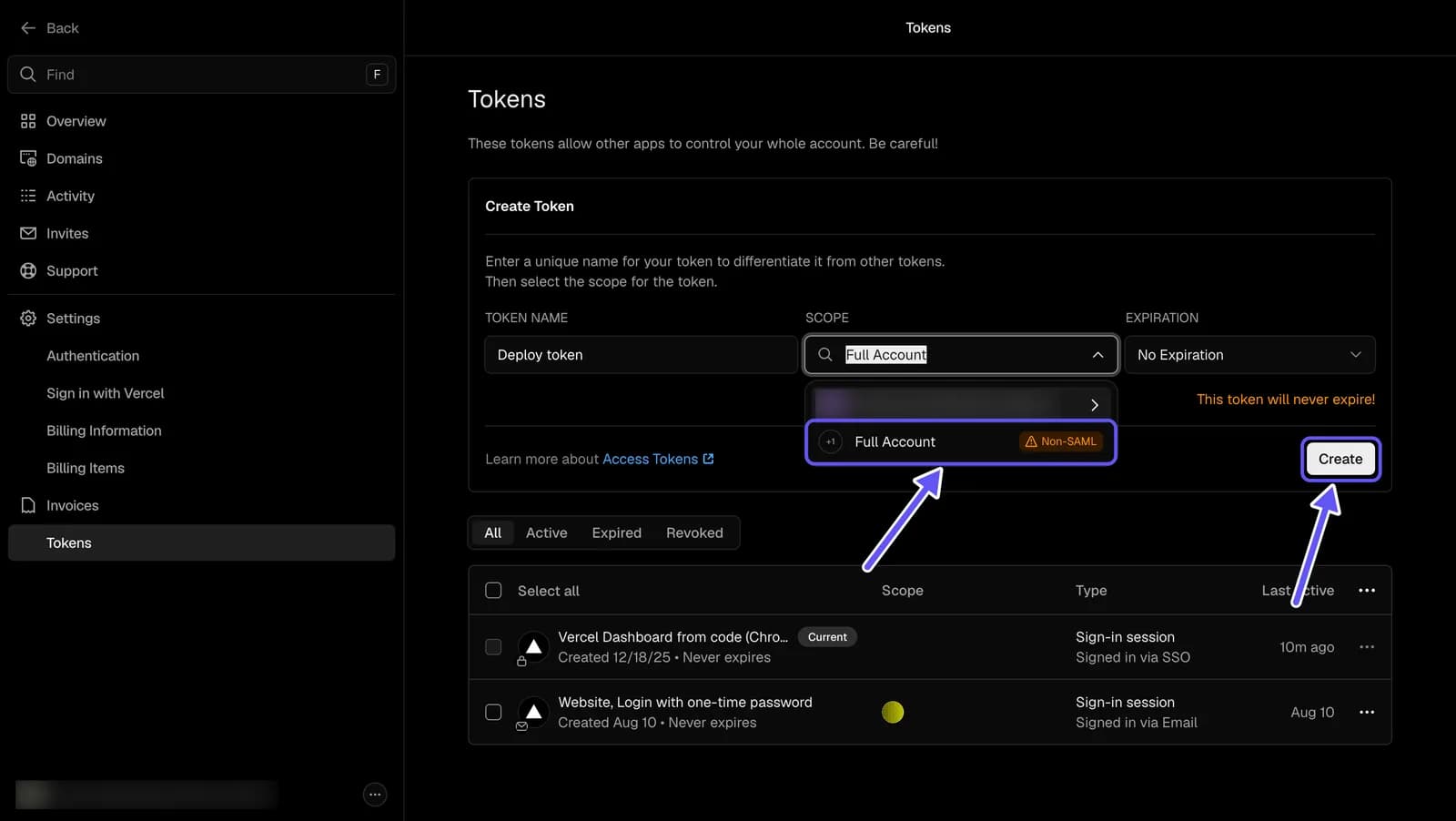
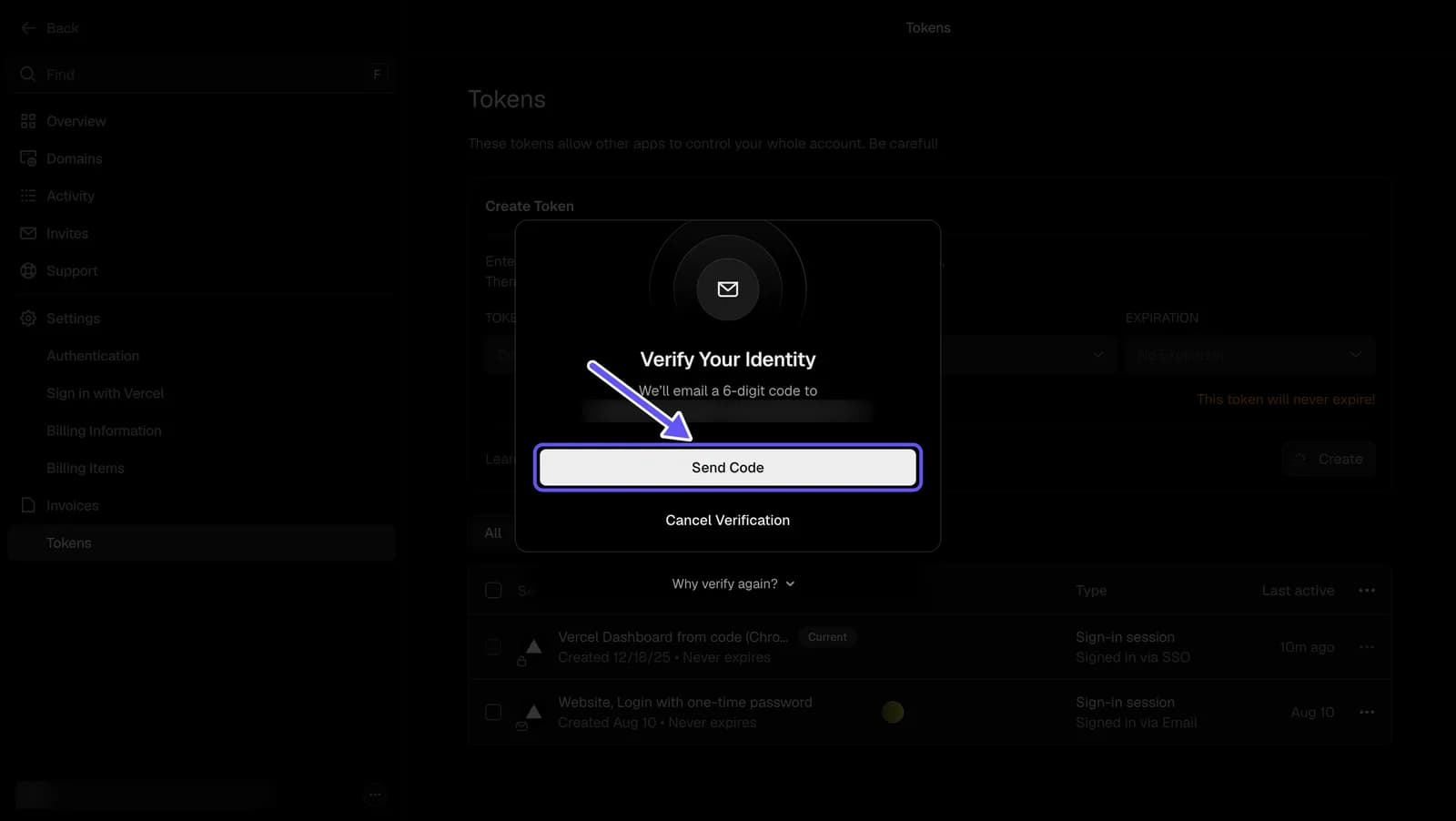
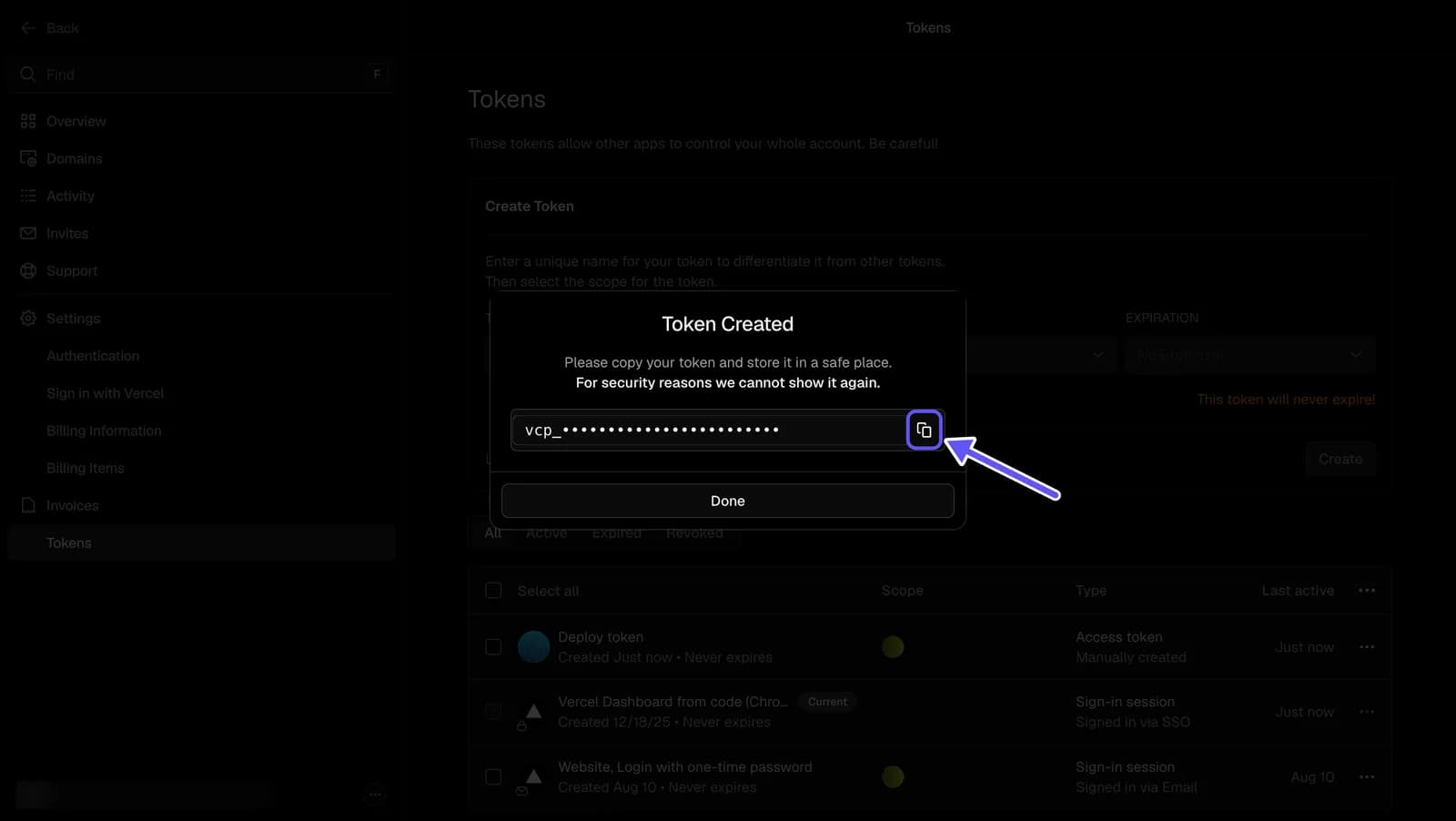
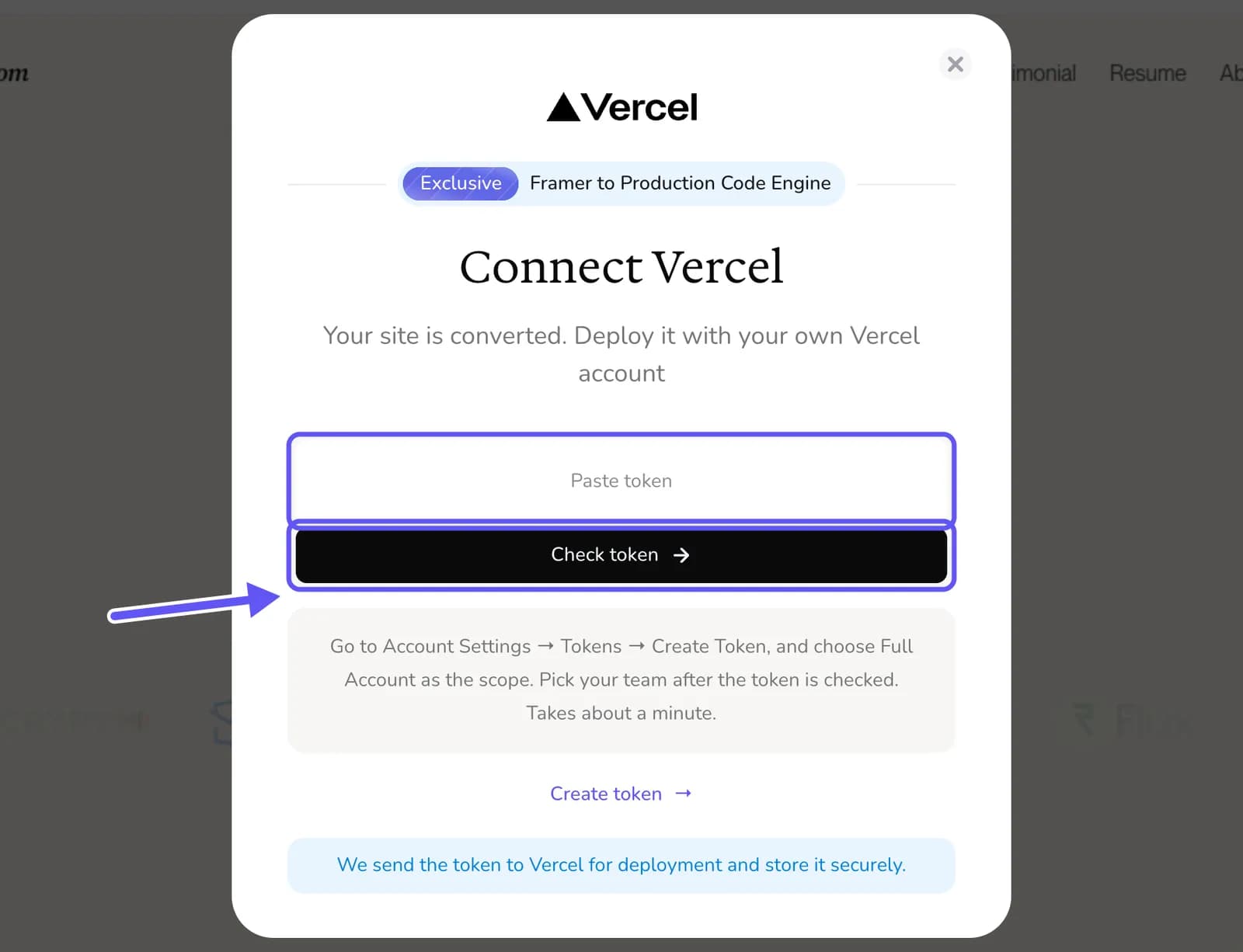
To create a Vercel access token, open Vercel's Tokens page (vercel.com/account/settings/tokens), enter a token name, choose a Scope and an Expiration, and select Create. Vercel emails you a 6-digit code to confirm it's you, then shows the token once. Copy it straight away. To deploy from FrameCompile, choose Full Account as the scope.
What a Vercel access token is
An access token is a long secret that lets another app act on your Vercel account, for example to create a project and deploy a site to it, without knowing your password. Vercel tokens start with vcp_. You can create as many as you need, give each its own name, and revoke any of them at any time.